
Operations
How to Manage a Beauty Salon: Practical Tips for Smooth Daily Operations 🧭
Salon owners juggle staff schedules, client changes, and walk-ins every day. Without a clear system, you get double bookings, stressed stylists, and inconsistent service. This guide shows how to manage a beauty salon with practical, repeatable steps that reduce chaos and keep your team aligned.
Managing a beauty salon well means pairing people leadership with the right systems. When staff know the plan, see their day clearly, and trust the tools, they deliver better service and stay calmer. When tools fail or rules change by the hour, the day unravels.
Common staff and operational problems in beauty salons 😓
Miscommunication between front desk and stylists causes wrong services, timing errors, and awkward client moments.
Double bookings happen when multiple people adjust the calendar without a shared source of truth.
Unclear responsibilities create friction: who confirms appointments, who handles late arrivals, who closes the register?
Staff stress rises when schedules change mid-day with no notice, leading to rushed work and uneven client experience.
Inventory, breaks, and room usage collide when no one sees the full picture—towels run out, rooms stay blocked, and time is wasted.
Training gaps show up in peak hours. New hires guess at policies, overrun service times, or skip client notes, making the team scramble to recover.
Owners get stuck firefighting. Instead of leading growth, you solve micro issues because there is no standardized way to manage salon appointments and roles.
Why manual salon management creates constant problems 📋
Spreadsheets and paper notes go out of date the moment someone forgets to update them. That means two versions of the truth.
Verbal instructions get lost during busy shifts. A stylist hears “move that 2pm to 3pm,” but the front desk never sees it.
Paper calendars cannot protect against overlaps, service duration errors, or buffer times for color and multi-service clients.
As the team grows, manual processes slow decisions. You spend hours coordinating instead of serving clients.
Reporting is guesswork. Without clean data, you cannot see which services run long, which stylists are overbooked, or where to add support.
Manual reminders fail at scale. Sticky notes and ad-hoc texts are forgotten or mistimed, so clients miss updates and staff arrive unprepared.
Compliance suffers. Health, cleanliness, and cash-handling standards drift when checklists live in memory instead of a shared workflow.
Step-by-step improvements for salon staff and operations ✅
Apply these steps in order. Each reduces friction and makes managing the salon easier every day.
- Clear appointment ownership 🧑🤝🧑
Assign who owns the book each shift (front desk lead or manager). That person is the single source for changes, approvals, and conflict resolution. - Centralized schedule visibility 📅
Use one calendar for all providers and rooms. Include service durations, buffers, and notes. Everyone—front desk, stylists, assistants—views the same live schedule. - Automated notifications for staff 🔔
Send real-time notifications when a client books, reschedules, or cancels. Include service, timing, and any notes so stylists prep correctly. - Reduced manual coordination 🤝
Route client changes through a single flow: in-app booking, a managed link, or a controlled phone intake. Fewer touchpoints mean fewer errors. - Consistent daily workflows 📋
Standardize open/close checklists, pre-shift huddles, and mid-day audits (towels, inventory, room turnover). Consistency keeps service quality steady even on busy days.
Layer accountability. Post the day’s plan in one place: who owns checkout, who handles retail, who is on overflow for walk-ins. Clarity reduces friction and keeps staff accountable without micromanagement.
Build buffers into the schedule. Protect color corrections, bridal trials, and multi-service visits with extra time so the rest of the book stays intact. Buffers are how to manage a beauty salon without constant overtime.
Cross-train for resilience. Teach reception to log notes accurately, assistants to flag timing risks, and stylists to update status in the system. The more the team can do correctly in the tool, the fewer surprises.
Document the playbook. Write scripts for confirmation calls or messages, define when to move appointments, and set rules for late arrivals. Train every team member so the salon runs the same way regardless of who is on shift.
Measure weekly. Track on-time start rates, rebook rates, and schedule changes per day. Small improvements compound and reduce daily stress.
Suggested internal links: point to scheduling and admin flows at see how it works, highlight team coordination in benefits, and show notification/automation under get your salon app.
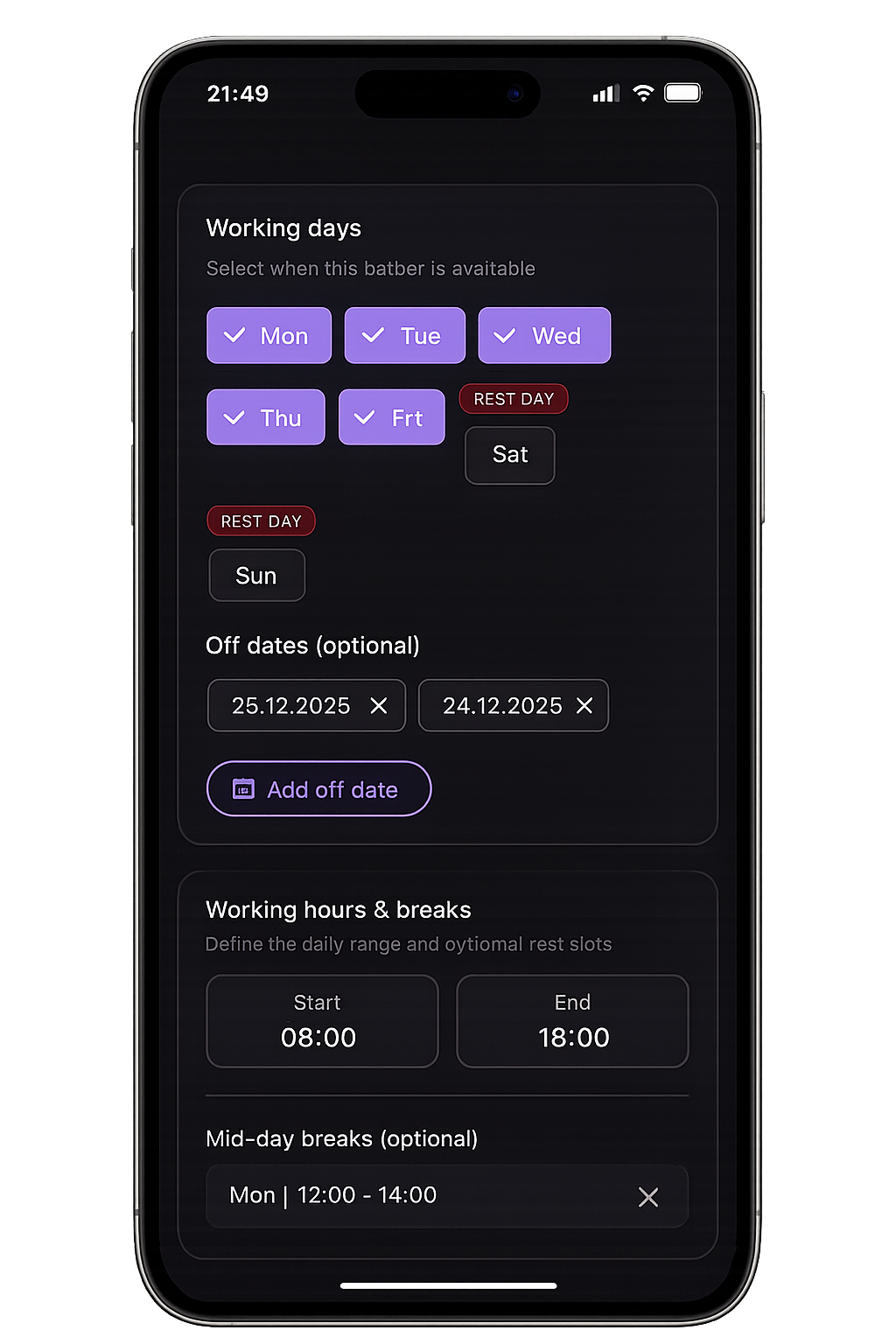
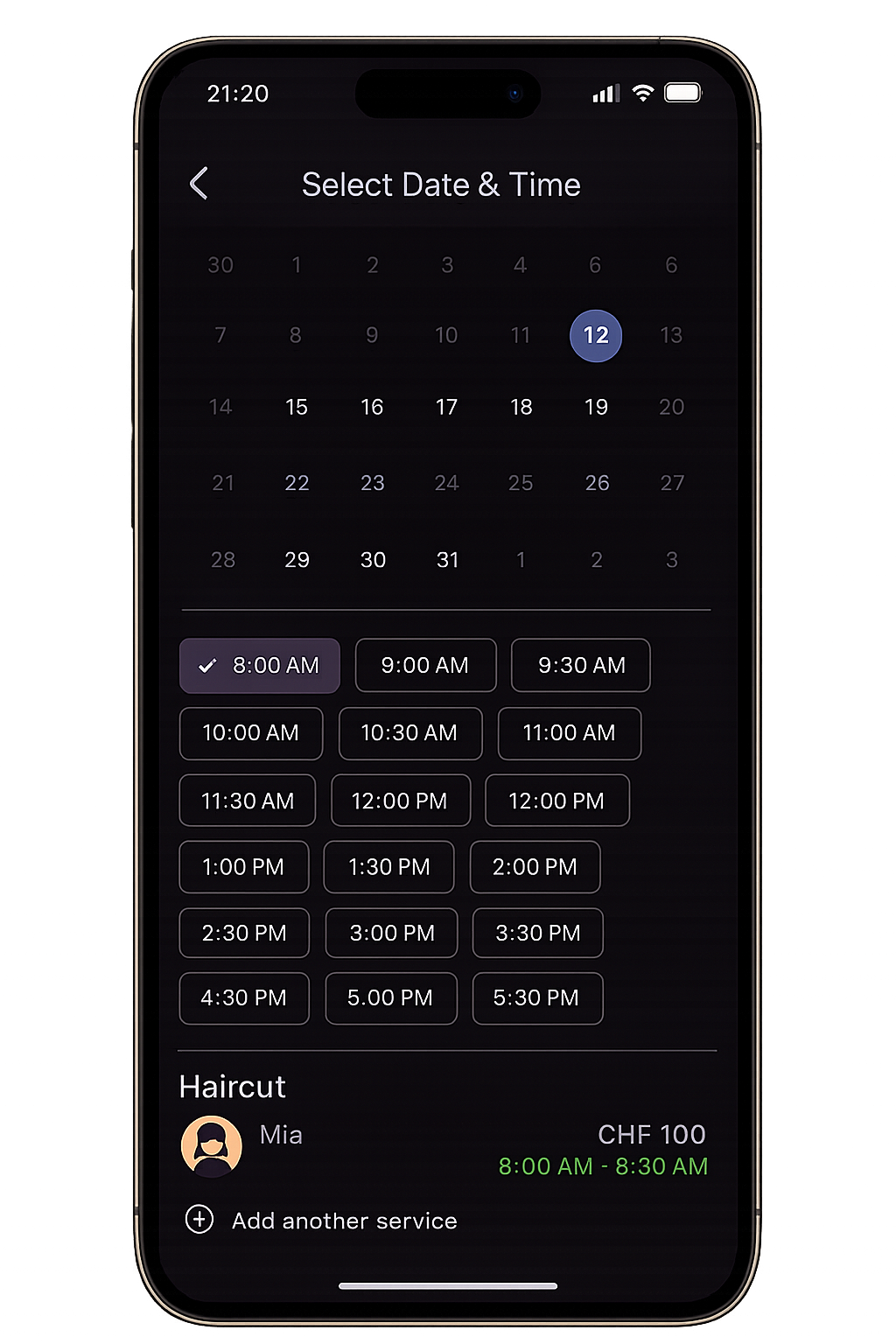
Admin + user
Admin controls on the left. Client booking on the right.
Your team manages schedules, approvals, and offers in the Admin app, while clients book and manage visits in the User app. Both stay fully on-brand.
How a branded salon app improves staff coordination 📱
A branded beauty salon software keeps one source of truth for appointments, notes, and notifications. Staff see live updates and stop guessing.
Automation handles confirmations, reminders, and reschedules. Stylists get prep notes and timing changes instantly, reducing slip-ups.
Front desk workload drops when clients manage changes in-app. The team spends less time on the phone and more time on service quality.
SalonApp, for example, centralizes booking, staff notifications, and client updates in one branded salon app—so owners manage salon appointments without daily coordination scramble.
Role-based access protects accuracy. Give managers edit rights, stylists read/confirm rights, and assistants task views, so the book stays clean and mistakes drop.
Data becomes actionable. See which services overrun, which providers need buffer adjustments, and when to add a floater to keep the day on time.
Frequently Asked Questions ❓
What is the best way to manage salon staff?
Give one person per shift clear ownership of the book, run short pre-shift huddles, and use a shared system for notes, buffers, and changes. Consistency and visibility beat heroics.
How do salons organize appointments efficiently?
Use a single calendar with real-time availability, service durations, and automated confirmations. Route all changes through that system so everyone sees updates immediately.
What tools help with salon operations?
Beauty salon software that combines booking, staff notifications, and client messaging keeps teams aligned. Look for buffers, room assignments, role-based access, and automated reminders to prevent overlaps.
Conclusion 🎯
Knowing how to manage a beauty salon starts with clear ownership, one live schedule, and automation that keeps everyone informed. Replace manual coordination with a single system and consistent daily workflows.
Choose beauty salon software that simplifies staff communication, automates reminders, and centralizes notes. A branded salon app can cut errors, reduce stress, and let you focus on delivering great service every day.
Start small: tighten ownership, centralize the book, and turn on automated notifications. Then refine buffers, huddles, and metrics. Within a few weeks, daily stress drops and service quality feels steadier.