
Operations
Salon Workflow Optimization for Small Teams: How to Do More Without Hiring ⚙️
Small salon teams carry full schedules, switch hats constantly, and still need to deliver a premium experience. Chaos creeps in through miscommunication, unclear ownership, and manual coordination. This guide covers salon workflow optimization for small teams so you can do more without hiring.
When workflows are standardized, schedules are visible, and interruptions drop, small teams move faster and feel calmer—even on packed days.
The goal of salon workflow optimization for small teams is control, not speed. Reduce chaos so every booked hour translates to consistent quality and margin.
Why workflow problems hit small salon teams hardest ⚙️
With fewer people, every inefficiency is amplified. One missed note can stall the whole day.
When roles overlap, unclear ownership creates duplicate work and dropped tasks.
Scheduling mistakes—double-booking a room or mis-timing color—have no buffer team to absorb the impact.
Manual handoffs (texts, sticky notes) fail under pressure, leading to rework and delays.
Small teams feel context switching more; each interruption pulls someone from revenue-generating work.
Lack of standardized prep (notes, formulas, timing) forces stylists to guess, slowing the floor and creating inconsistencies.
Why working harder doesn’t fix broken workflows ⚙️
Asking a small team to “push” leads to errors: timing slips, missed add-ons, and uneven service quality.
Longer hours accelerate burnout and turnover, which costs more than fixing processes.
Busy days hide margin leaks. Rushing increases redos and refunds, eroding profit.
Effort without structure stalls growth. The ceiling is the workflow, not the people.
Overextending the team reduces upsell and retail focus, lowering revenue per client despite full books.
Step-by-step ways to optimize salon workflows for small teams ✅
Use these steps together to streamline a small salon without adding headcount.
- Standardized daily routines 📋
Set open/close checklists, mid-day resets, and inventory spot-checks. Consistency reduces surprises and keeps the floor ready. - Clear ownership of appointments 🧭
Assign who controls the book each shift. That owner approves changes, manages waitlists, and prevents conflicts. - Centralized scheduling visibility 👀
One live calendar with service durations, buffers, and room assignments. Everyone sees the same plan—no private notes or parallel schedules. - Reduced manual coordination 🤝
Route bookings and changes through a single system. Minimize back-and-forth calls/texts so staff stay on service. - Fewer interruptions during services 📵
Limit calls to essentials. Push self-serve booking/changes, and use a waitlist to fill gaps instead of stopping services to answer phones.
Track leading indicators weekly: on-time starts, schedule changes per day, rebook rate, retail attach, and time spent on calls. If any metric dips, adjust buffers, ownership rules, or service durations.
Document service timings and prep notes centrally. Update durations when services consistently overrun; accuracy in the book prevents downstream crunch.
Run short weekly retros with the team: where did delays start, which handoffs failed, and what info was missing? Turn answers into checklist updates.
Suggested internal links: workflow and booking flow at see how it works, operational consistency under benefits, and setup at get your salon app.
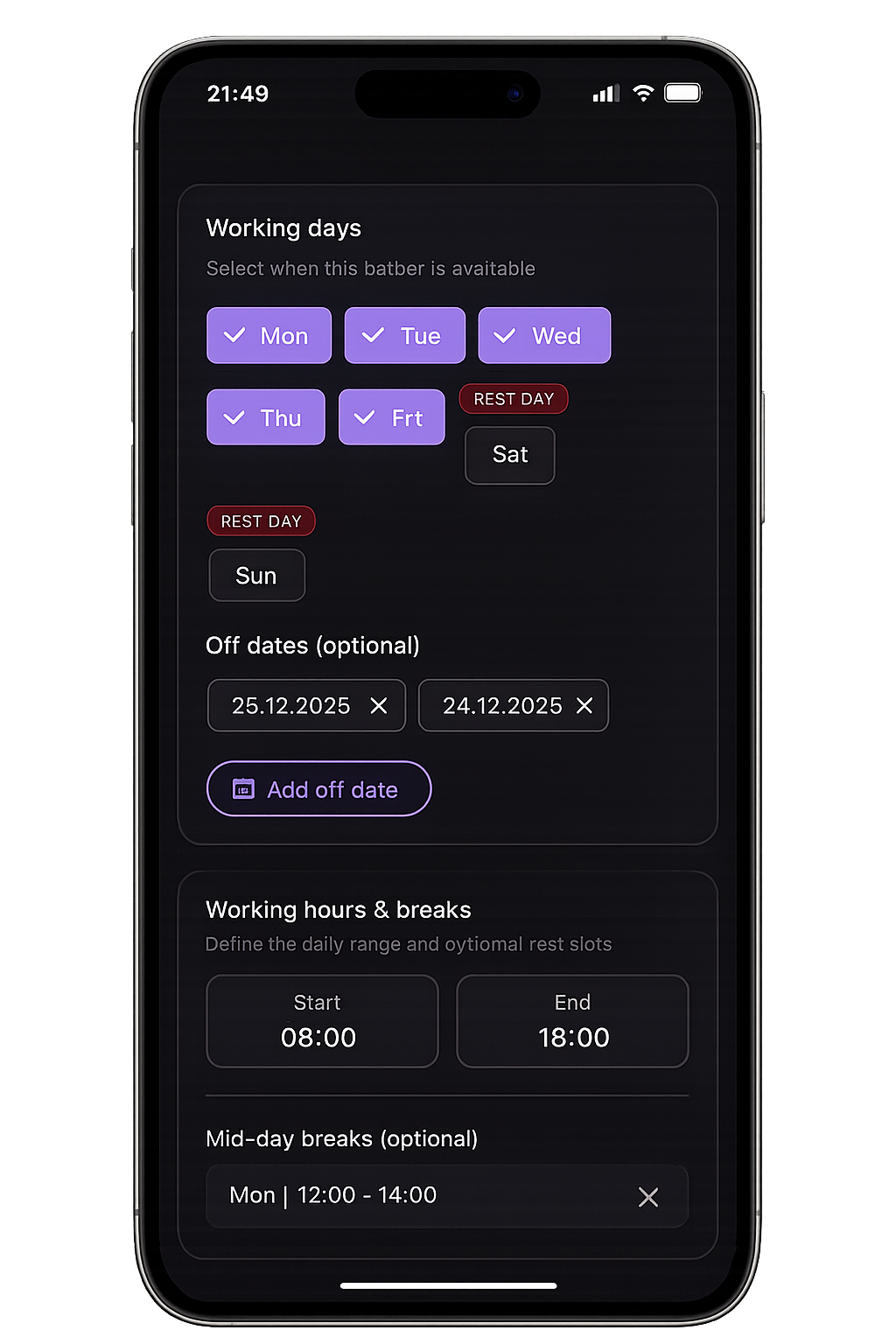
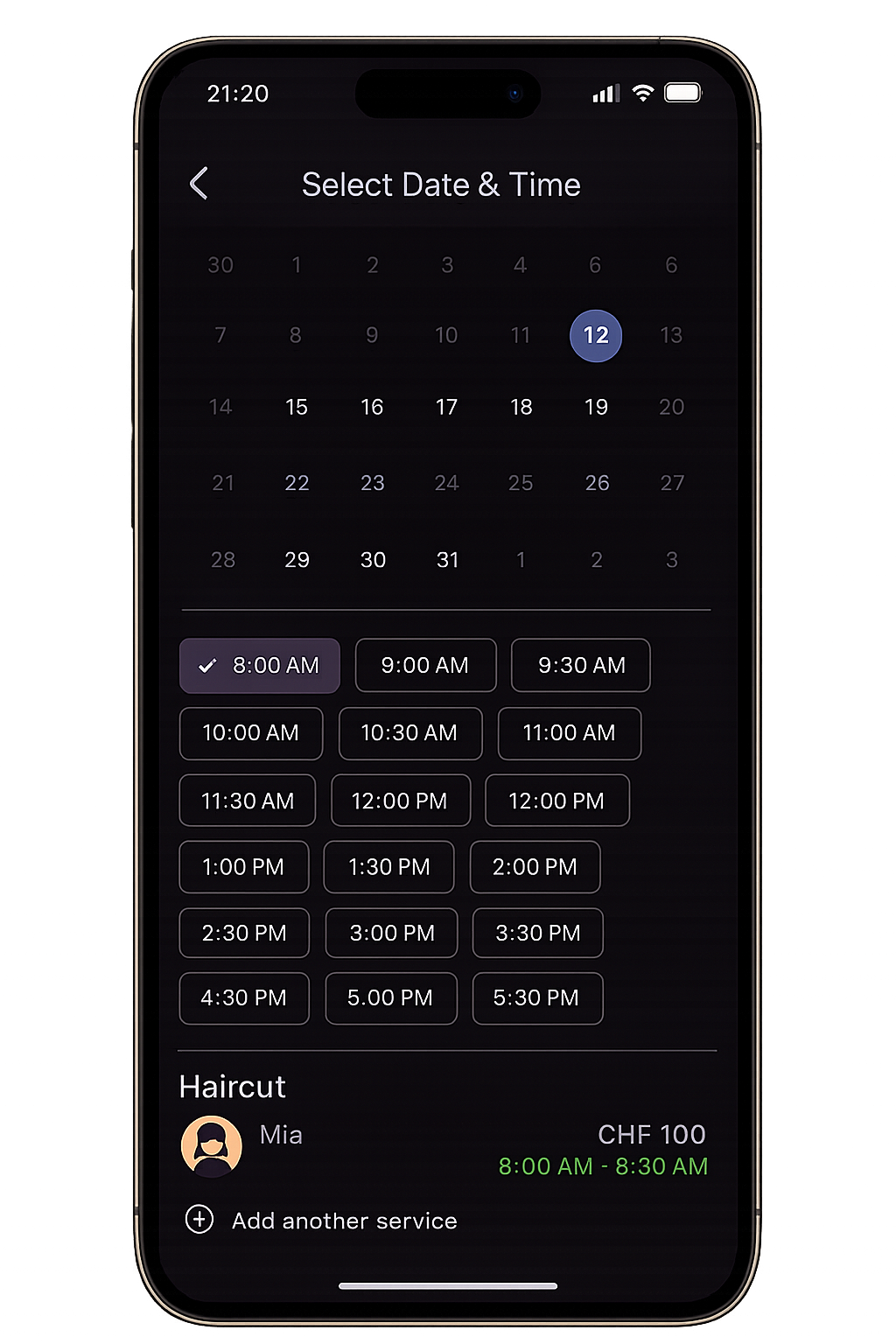
Admin + user
Admin controls on the left. Client booking on the right.
Your team manages availability, buffers, and approvals in the Admin app, while clients book and manage visits in the User app. Both stay fully on-brand.
How a branded salon app supports efficient workflows 📱
A branded salon app centralizes booking, notes, and notifications so small teams work from one source of truth.
Clients self-serve bookings and changes, reducing calls and interruptions. Real-time updates keep staff aligned.
SalonApp, for example, applies your buffers, durations, and policies in one beauty salon workflow so small teams stay organized without extra headcount.
Push reminders and waitlists keep schedules tight, filling gaps without frantic coordination.
Saved preferences and notes travel with each booking, cutting setup time and reducing errors for lean teams.
Frequently Asked Questions ❓
How can small salons improve workflow?
Standardize routines, assign booking ownership, centralize the schedule, reduce manual coordination, and limit interruptions during services.
What causes inefficiency in salon operations?
Fragmented scheduling, unclear roles, manual updates, and constant interruptions create delays and errors.
What tools help optimize salon workflows?
A unified booking and communication system—ideally a branded salon app—keeps availability, notes, and reminders in one place for the whole team.
Conclusion 🎯
Salon workflow optimization for small teams means fixing systems, not working longer. Clear routines, ownership, and a single source of truth make busy days smoother.
Focus on centralized scheduling, fewer interruptions, and a branded salon app so your team can do more without hiring. Better workflows protect profit and morale.
Start with one change this week—like standardizing open/close checklists—then layer centralized scheduling and self-serve changes. Each step compounds into calmer days.