
Scheduling
Why My Salon Schedule Constantly Changes (And How to Stabilize It) 📅
You plan a solid day, but within hours you are shifting appointments, filling gaps, and apologizing for delays. This instability is a system problem, not bad clients—and systems can be fixed.
Salon schedules constantly change when confirmations are weak, last-minute cancellations are easy, buffers are missing, and manual adjustments happen mid-day. Stabilize with strong pre-day confirmations, clear same-day rules, automated reminders, built-in buffers, and centralized visibility to stop salon scheduling chaos and daily disruptions.
Unstable salon scheduling comes from the inputs: how clients book, confirm, cancel, and reschedule—and how the team reacts under pressure. Fix those inputs, and the day holds together without constant firefighting.
The primary keyword—why my salon schedule constantly changes—points to a process gap. Address commitment, clarity, and buffers, and the changes slow down fast.
The most common reasons salon schedules constantly change 📅
Weak confirmation and reminders: if clients are not anchored before opening, you start with risk baked in.
Easy last-minute cancellations: when canceling is frictionless and rescheduling is harder, clients drop prime slots.
Overbooking without buffers: optimistic stacking and no cleanup time create domino delays.
Manual schedule management during service hours: mid-day edits pull focus from guests and increase errors.
Channel sprawl: confirmations and updates across email, SMS, and DMs create misses and double-work.
First-hand insight: requiring confirmation by 6 PM the night before cut morning surprises and kept the first two hours calm.
How constant schedule changes hurt salon operations 📅
Revenue predictability drops: a “full” calendar turns into gaps that cannot be refilled.
Staff focus and morale suffer: chasing changes drains energy and reduces service consistency.
Client experience weakens: rushed starts, uneven pacing, and visible stress hurt rebook rates.
End-of-day exhaustion rises: teams feel wiped from firefighting instead of serving.
Retail and add-ons dip: distracted teams miss chances to recommend products or upgrades.
Why reacting to changes makes the problem worse 😓
Manual fixes mid-day add more chances for double-booking or missed notes.
Extra messages feel like spam, so clients mute or ignore future prompts.
Channel sprawl—email, SMS, DMs—makes clients unsure where to respond, lowering reply rates.
Constant edits hide the root issue: lack of upfront commitment and clear rules.
Pressure to “fit everyone” often creates optimistic stacking that unravels later.
Step-by-step ways to stabilize your salon schedule ✅
Strong confirmation before the day starts: require confirmations by the night prior; send a 24h reminder with one-tap confirm/reschedule.
Clear rules for same-day changes: set a cutoff and steer to rescheduling instead of canceling; deposits add light commitment.
Automated reminders instead of manual follow-ups: use a 24h reminder plus a same-day nudge timed to the commute window.
Built-in buffers to absorb delays: standardize cleanup/reset time by service type so small slips do not cascade.
Centralized schedule visibility: one source of truth for staff to see changes in real time and adjust prep.
Align services to clean blocks: map popular services to 30/45/60-minute blocks to reduce odd gaps.
Use waitlists smartly: auto-offer newly opened slots to reliable clients first to refill gaps fast.
Channel discipline: keep confirmations and updates in a primary channel; avoid scattering across DMs and email.
Sender clarity and brevity: use a clear salon name and short prompts with one action; long texts get ignored.
Light commitment where needed: deposits or card-on-file for peak times increase show-up rates and reduce casual cancel/reschedule churn.
Operational insight: adding a 3-hour same-day push plus 10-minute buffers recaptured multiple slots weekly without longer hours.
Operational tip: run the flow yourself weekly. If you would ignore or delay, simplify before clients feel the same.
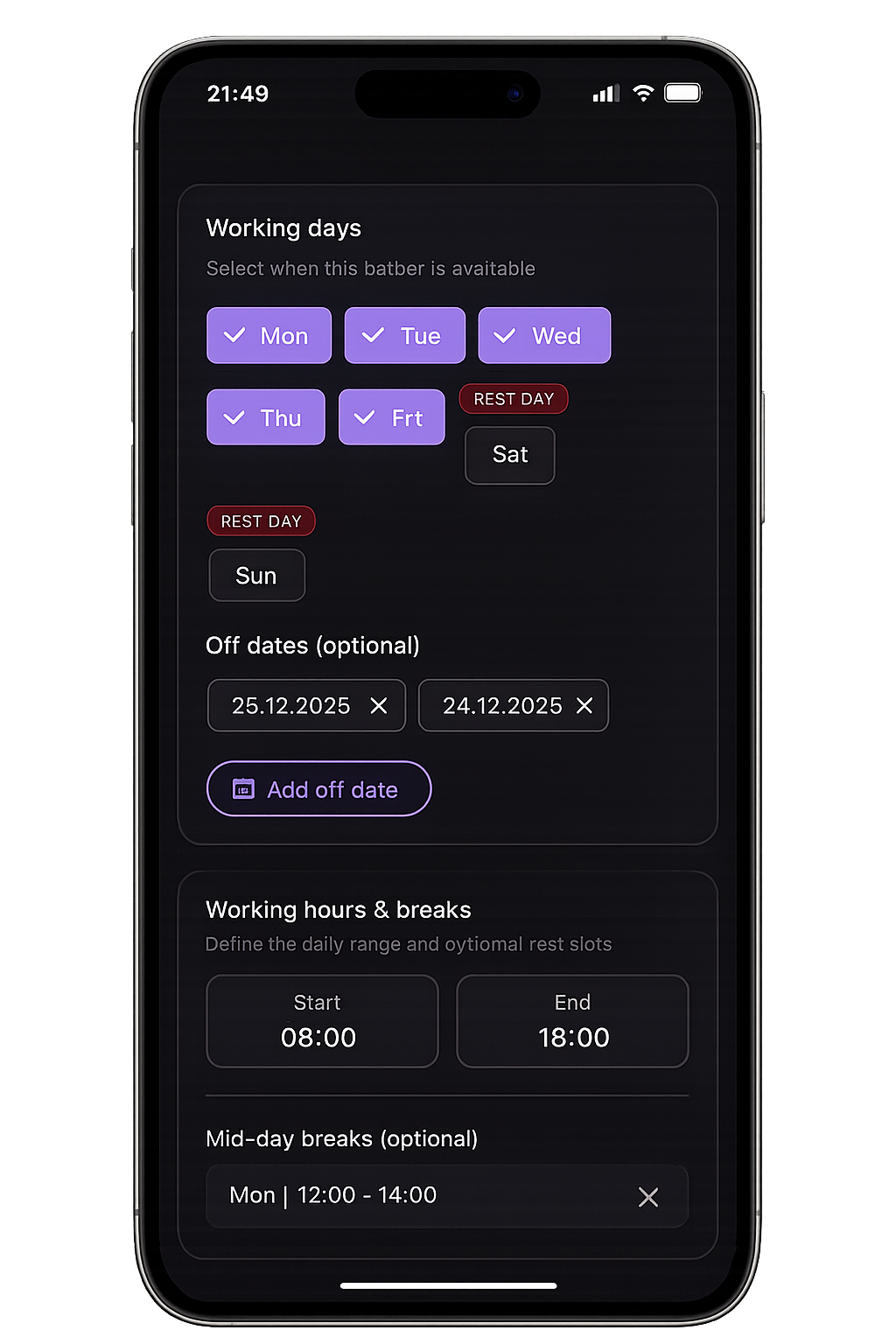
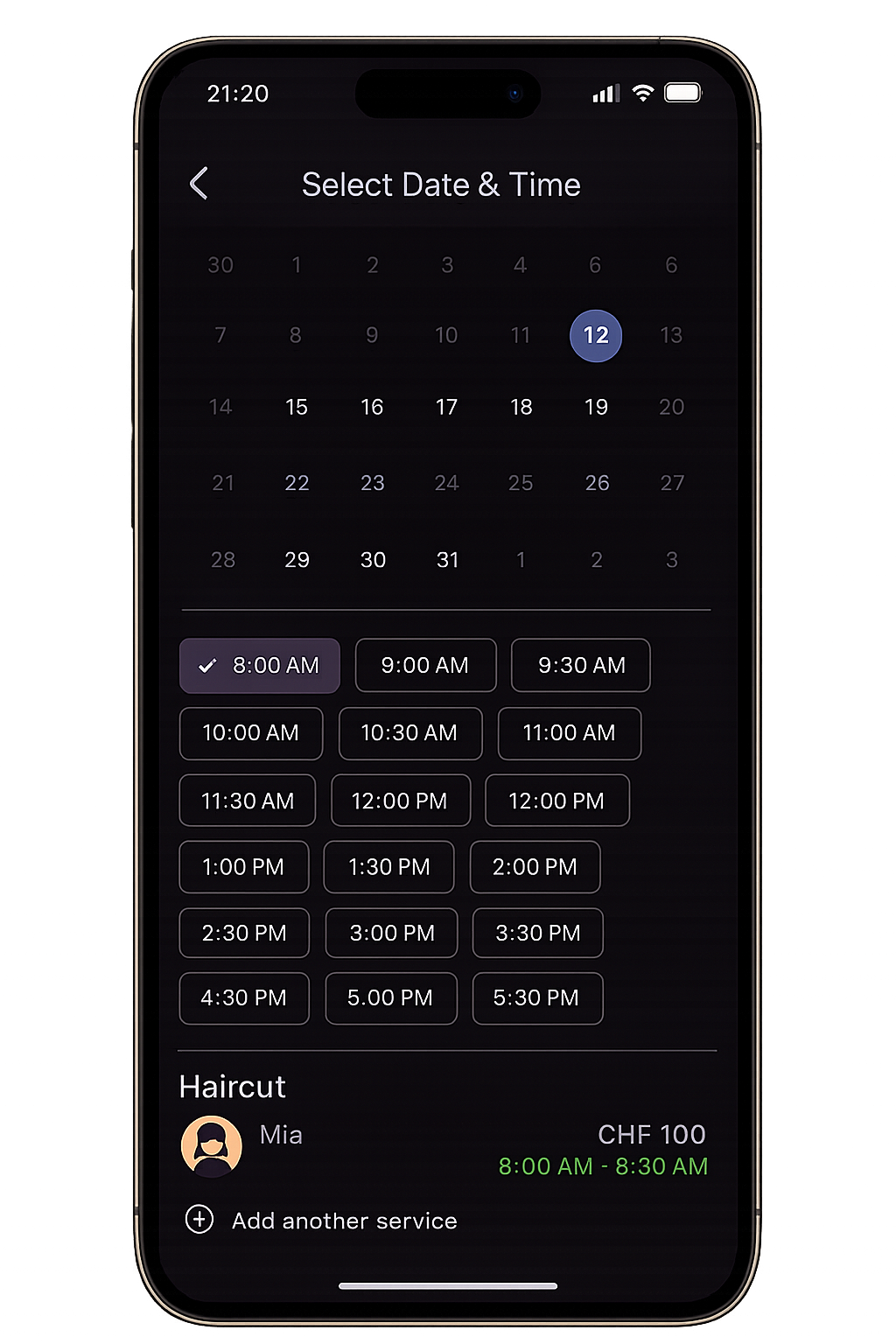
Admin + user
Admin controls on the left. Client booking on the right.
Your team manages schedules, approvals, and offers in the Admin app, while clients book and manage visits in the User app. Both stay fully on-brand.
How a branded salon app helps keep schedules stable 📱
A branded app automates confirmations, reminders, and rescheduling so clients manage their bookings without calls.
Push notifications land at the right time with one-tap actions, cutting manual chasing.
Deposits and policies sit in the flow, making cancellations less casual and rescheduling simpler.
SalonApp, for example, provides a branded salon app that aligns booking, reminders, policies, and payments in one consistent experience, reducing daily salon disruptions.
Consistency trains behavior: confirm, arrive, or reschedule—instead of disappearing.
Push and in-app alerts bypass crowded email tabs, so clients see prompts when they can act and keep the day stable.
Frequently Asked Questions ❓
Why does my salon schedule keep changing?
Weak confirmations, easy cancellations, and no buffers make schedules fragile. Strengthen pre-day confirmations, add light commitment, and standardize buffers to keep the day intact.
How can salons reduce daily schedule disruptions?
Require confirmation before opening, use automated reminders, offer one-tap rescheduling, and keep communications in one channel. These steps reduce last-minute changes and keep slots filled.
Do automated systems really stabilize schedules?
Yes. Automated, branded flows ensure consistent timing, clear actions, and faster rescheduling. Salons using one-tap confirmations and buffers see steadier days and fewer surprises.
Conclusion 🎯
Unstable schedules come from weak upfront commitment and scattered communication, not bad luck. Strong confirmations, smart reminders, buffers, and clear rules keep the day intact.
Replace reactive fixes with reliable systems—ideally in a branded app—so clients confirm, arrive, or reschedule without your team chasing them. You will stabilize revenue, protect morale, and end the day with energy.
Internal link ideas: connect to guides on reminder timing, buffer planning, and no-show reduction using anchor text like reminder playbook, buffer planning checklist, and no-show reduction checklist.